
TABLE OF CONTENTS
Summary
On Troomi's website, a banner regarding cookie preferences will appear at the bottom of the page. The user has the option to select 'Accept'. If they do not click 'Accept' and they start interacting with the website (i.e. scrolling, clicking menu options, etc.), the banner will disappear and the consent will be implied. If they would like to withdraw consent, they would need to do that manually.
How to View or Change Cookie Consent Preferences
1. Click the 'privacy policy' link in the cookies banner.
- This will take the user to the Privacy Policy page: https://troomi.com/privacy-policy/
2. In the Privacy Policy page, section 6 is called 'Cookies and Similar Technologies'. Click the 'Cookie Policy' link, which will open up the Cookie Policy page: https://troomi.com/cookie-policy/

3. From here, the user can change or withdraw their consent. 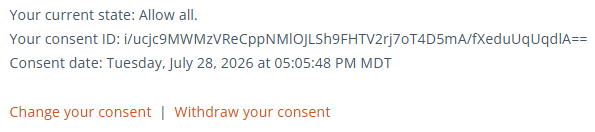
- Change your consent – This reopens the original cookie preference banner, allowing the user to reset their opt-in preference. This is useful if they decide they would like to allow cookies, after cookies have been previously denied.
- Withdraw your consent – This immediately opts the user out of all non-necessary cookies.
Preference updates are effective immediately.